How Git works, one object at a time
Where Git came from, what it keeps inside .git, and what everyday commands like status, commit, log, push and pull actually change.
You probably type git add, git commit and git push every day. This post opens up the
.git folder and shows what each of those commands writes there. Every command and output
below is real, and you can run them yourself.
Where it started
From 2002 the Linux kernel was developed with BitKeeper, a commercial version control system that kernel developers could use for free. In 2005 that free licence was withdrawn, and Linus Torvalds started writing a replacement. The Pro Git book lists what it had to be: fast, simple in design, good at many parallel branches, fully distributed, and able to handle a project the size of the kernel.
Git's first commit was made on 7 April 2005. It is about a thousand lines of C, and its README already describes the three kinds of object this post is about. Most of what follows has not changed since then.
The big picture
flowchart LR
  W["Working folder<br/>files you edit"] -- "git add" --> I["Staging area<br/>.git/index"]
  I -- "git commit" --> R["Local repository<br/>.git/objects"]
  R -- "git push" --> G["Remote<br/>GitHub"]
  G -- "git fetch / pull" --> R
  R -- "git switch / restore" --> W
The words used in the rest of the post:
- Working folder: the files you see and edit. Git does not store anything here.
- Repository: the hidden
.gitfolder. Everything Git knows lives in it. - Object: one stored item: a file's contents, a folder listing, or a commit. Objects are never changed after they are written.
- Hash: a 40-character ID like
ce013625…, calculated from an object's contents. The same contents always give the same hash. - Blob: an object holding the contents of one file. No name, just the bytes.
- Tree: an object holding a folder listing: names, and the hash of each file or subfolder.
- Commit: an object holding one tree (the snapshot), the parent commit, the author and a message.
- Staging area (also called the index): the list of files that will go into the next commit.
- Branch: a small file that holds the hash of one commit.
- HEAD: a file that says which branch you are on.
- Remote: another copy of the repository, such as the one on GitHub.
Follow along
Git writes your name, email and the time into every commit, and those are part of the
commit's hash. To get exactly the hashes shown here, set them first. at sets the time
before each commit:
export GIT_AUTHOR_NAME="Aditya Bavadekar" GIT_AUTHOR_EMAIL="hi@adixb.me"
export GIT_COMMITTER_NAME="$GIT_AUTHOR_NAME" GIT_COMMITTER_EMAIL="$GIT_AUTHOR_EMAIL"
at() { export GIT_AUTHOR_DATE="2026-10-01T$1+05:30" GIT_COMMITTER_DATE="2026-10-01T$1+05:30"; }
at 10:00:00The output here is from Git 2.55. Older versions word a few messages differently.
git init: an empty repository
$ git init -b main demo && cd demo
Initialized empty Git repository in /home/user/demo/.git/
$ ls .git
config description HEAD hooks/ info objects/ refs/objects/ will hold every version of every file. refs/ will hold branch names. HEAD
says which branch you are on. Delete .git and the history is gone; the working folder is
just files.
git status and git add: saving a file's contents
Create a file and ask Git what it sees:
$ echo "hello" > hello.txt
$ git status
On branch main

No commits yet

Untracked files:
  (use "git add <file>..." to include in what will be committed)
	hello.txt

nothing added to commit but untracked files present (use "git add" to track)Untracked means Git has never stored this file. Now add it:
$ git add hello.txt
$ git status
On branch main

No commits yet

Changes to be committed:
  (use "git rm --cached <file>..." to unstage)
new file: hello.txtgit add did two things. First, it saved the file's contents as a blob in .git/objects:
$ find .git/objects -type f
.git/objects/ce/013625030ba8dba906f756967f9e9ca394464aThe file name is the blob's hash. Git calculates it by putting a short label in front of
the contents (blob, the size in bytes, and a zero byte) and running SHA-1 over the
result. You can do the same without Git and get the same answer:
$ printf 'blob 6\0hello\n' | sha1sum
ce013625030ba8dba906f756967f9e9ca394464a -The file on disk is compressed, so cat shows nothing readable. git cat-file reads it
for you:
$ git cat-file -t ce01362
blob
$ git cat-file -p ce01362
helloSecond, git add wrote a line into the staging area, .git/index:
$ git ls-files --stage
100644 ce013625030ba8dba906f756967f9e9ca394464a 0 hello.txtThat line says: the next commit will have a file called hello.txt, with normal file
permissions (100644), whose contents are blob ce01362. The 0 is only used during
merge conflicts. Notice the name lives in the index, not in the blob.
If two files in a project have exactly the same contents, does Git store them twice?
No. Same contents means same hash, and the hash is the file name in .git/objects, so
there is only one blob. The two file names both point to it. This is also how Git notices
a renamed file: the contents, and so the blob, did not change.
git commit -m: taking a snapshot
Add one more file in a subfolder, then commit:
$ mkdir src && printf 'print("hi")\n' > src/main.py && git add src
$ git commit -m "Add hello and main"
[main (root-commit) 88d8d12] Add hello and main
 2 files changed, 2 insertions(+)
 create mode 100644 hello.txt
create mode 100644 src/main.py88d8d12 is the start of the new commit's hash. Look inside it:
$ git cat-file -p 88d8d12
tree eda7844447ce32c0ee14ff76faf4834d6cd83957
author Aditya Bavadekar <hi@adixb.me> 1790829000 +0530
committer Aditya Bavadekar <hi@adixb.me> 1790829000 +0530

Add hello and mainA commit is a few lines of text: the tree it saves, who wrote it and when (as seconds since 1970, plus a time zone), and the message. It does not contain the changes. When you ask for a diff, Git compares two snapshots on the spot.
The tree is the folder listing that git commit built from the staging area:
$ git cat-file -p eda7844
100644 blob ce013625030ba8dba906f756967f9e9ca394464a	hello.txt
040000 tree 37a4b05693857e190d1ecbe45b4451bc36078274	src
$ git cat-file -p 37a4b05
100644 blob b80e3222ab264bd7cafb376749bd18814fd66776 main.pyThe subfolder src is its own tree. Put together, one commit looks like this:
flowchart TB C["commit 88d8d12<br/>Add hello and main"] --> T1["tree eda7844<br/>(project folder)"] T1 -- "hello.txt" --> B1["blob ce01362<br/>hello"] T1 -- "src" --> T2["tree 37a4b05<br/>(src folder)"] T2 -- "main.py" --> B2["blob b80e322<br/>print("hi")"]
So git commit does four things:
- Builds trees from the staging area.
- Writes a commit object pointing to the top tree, with the current commit as its parent.
- Writes the new commit's hash into the current branch file.
- Adds a line to the reflog (more on that below).
The blobs were already written by git add.
Two people commit the same files, with the same message, at the same second. Do they get the same commit hash?
Only if the name, email and time zone also match, because all of those are part of the commit text that gets hashed. That is why this post fixes them at the start. In real use, different authors or times always give different hashes.
git status again: comparing three versions
Change the file:
$ echo "hello, git" > hello.txt
$ git status
On branch main
Changes not staged for commit:
  (use "git add <file>..." to update what will be committed)
  (use "git restore <file>..." to discard changes in working directory)
	modified:   hello.txt

no changes added to commit (use "git add" and/or "git commit -a")
$ git status --short
M hello.txtgit status compares three versions of every file: the last commit, the staging area, and
your working folder. In the short form, the first column compares the last commit with the
staging area, and the second compares the staging area with your folder. M means the
file changed in your folder but is not staged yet. After git add it would show M .
To stay fast on big projects, the staging area also stores each file's size and last
modified time, so git status only re-reads files that were touched.
git log: following parents
Commit the change:
$ at 11:00:00
$ git commit -am "Change greeting"
[main 85ad3b2] Change greeting
 1 file changed, 1 insertion(+), 1 deletion(-)
$ git cat-file -p 85ad3b2
tree ebfc6fe67622e1d630f2690feb9fc44bebd568e3
parent 88d8d12cacea770c072585365a1daa405ad3dec5
author Aditya Bavadekar <hi@adixb.me> 1790832600 +0530
committer Aditya Bavadekar <hi@adixb.me> 1790832600 +0530

Change greetingThis commit has a parent line. That one line is what history is. git log starts at the
current commit and keeps following parents until it reaches a commit with none:
$ git log
commit 85ad3b205fe9d5be930c41dc8cdee47129947094
Author: Aditya Bavadekar <hi@adixb.me>
Date:   Thu Oct 1 11:00:00 2026 +0530

    Change greeting

commit 88d8d12cacea770c072585365a1daa405ad3dec5
Author: Aditya Bavadekar <hi@adixb.me>
Date:   Thu Oct 1 10:00:00 2026 +0530

    Add hello and main
$ git log --oneline
85ad3b2 Change greeting
88d8d12 Add hello and mainI changed one file. Did Git copy the whole project into the new commit?
No. Look at the new snapshot:
$ git cat-file -p ebfc6fe
100644 blob 94bab17c85ac96c4dd0cfcb7a16f22f6862733eb	hello.txt
040000 tree 37a4b05693857e190d1ecbe45b4451bc36078274 srchello.txt points to a new blob, but src is still tree 37a4b05, the same object as
before. Git wrote three new objects (a blob, a tree and the commit) and reused the rest.
flowchart TB
  C2["commit 85ad3b2<br/>Change greeting"] -- parent --> C1["commit 88d8d12<br/>Add hello and main"]
  C1 --> T1["tree eda7844"]
  C2 --> T3["tree ebfc6fe"]
  T1 -- "hello.txt" --> B1["blob ce01362"]
  T3 -- "hello.txt" --> B3["blob 94bab17"]
  T1 -- "src" --> T2["tree 37a4b05"]
  T3 -- "src" --> T2
  T2 -- "main.py" --> B2["blob b80e322"]
Branches and HEAD
A branch is a text file with one hash in it:
$ cat .git/HEAD
ref: refs/heads/main
$ cat .git/refs/heads/main
85ad3b205fe9d5be930c41dc8cdee47129947094HEAD says "I am on main", and main says "the latest commit is 85ad3b2". When you
commit, Git updates the main file. When you run git switch other, Git changes HEAD to
ref: refs/heads/other and updates your working folder to match. Creating a branch writes
one 41-byte file, which is why branches are cheap.
git commit --amend: nothing is edited
Fix the message of the last commit:
$ GIT_COMMITTER_DATE="2026-10-01T11:10:00+05:30" git commit --amend -m "Change the greeting"
[main 268e2dc] Change the greeting
 Date: Thu Oct 1 11:00:00 2026 +0530
 1 file changed, 1 insertion(+), 1 deletion(-)
$ git log --oneline
268e2dc Change the greeting
88d8d12 Add hello and mainThe hash changed from 85ad3b2 to 268e2dc. Objects can never be changed, so --amend
writes a new commit with the same parent and moves main to it. The old commit still
exists; it is just no longer on any branch. Rebase and reset work the same way: they write
new commits and move a branch.
Git keeps a list of everywhere HEAD has pointed, called the reflog:
$ git reflog
268e2dc HEAD@{0}: commit (amend): Change the greeting
85ad3b2 HEAD@{1}: commit: Change greeting
88d8d12 HEAD@{2}: commit (initial): Add hello and mainI ran a bad reset or amend and my commit is gone. Can I get it back?
Usually, yes. Find it in git reflog and put a branch on it, for example
git branch rescue HEAD@{1}. The reflog is only on your machine and keeps entries for
90 days by default.
git push: sending objects
To show pushing without a real server, make a bare repository (one with no working folder) next to the project. It plays the part of GitHub:
$ git init --bare -b main ../github.git
$ git remote add origin ../github.git
$ git push -u origin main
Enumerating objects: 8, done.
Counting objects: 100% (8/8), done.
Compressing objects: 100% (4/4), done.
Writing objects: 100% (8/8), 581 bytes | 581.00 KiB/s, done.
Total 8 (delta 0), reused 0 (delta 0), pack-reused 0 (from 0)
To ../github.git
 * [new branch]      main -> main
branch 'main' set up to track 'origin/main'.A push does two things: it sends the objects the other side does not have, then asks it to
move its main branch to your commit. The 8 objects are 2 commits, 3 trees and 3 blobs.
The old commit 85ad3b2 that --amend replaced was not sent, because no branch leads to
it. Git also keeps a local note of where the remote's branch is:
$ cat .git/refs/remotes/origin/main
268e2dcef69160c69c0a0513df6dfd5de9fe9280Objects travel in a packfile: many objects in one compressed file. Inside a pack, a file
that is similar to another can be stored as just the differences. Your local .git uses
packs too; git gc, which Git runs by itself now and then, moves loose objects into them.
git fetch and git pull: getting objects
Make a second copy of the repository, as if a teammate cloned it, and push a commit from there:
$ git clone ../github.git ../laptop2 && cd ../laptop2
$ at 12:00:00
$ echo "notes" > NOTES.md && git add NOTES.md && git commit -m "Add notes"
$ git push
Enumerating objects: 4, done.
Counting objects: 100% (4/4), done.
Compressing objects: 100% (2/2), done.
Writing objects: 100% (3/3), 307 bytes | 307.00 KiB/s, done.
Total 3 (delta 0), reused 0 (delta 0), pack-reused 0 (from 0)
To /home/user/github.git
   268e2dc..2eddcaa  main -> main
$ cd ../demoThat push sent only 3 objects: the commit, the new top tree and the new blob. Everything
else was already there. Back in demo:
$ git status
On branch main
Your branch is up to date with 'origin/main'.

nothing to commit, working tree clean"Up to date" only means up to date with the last time you talked to the remote. git status never goes online. git fetch does:
$ git fetch
From ../github
   268e2dc..2eddcaa  main       -> origin/main
$ git status
On branch main
Your branch is behind 'origin/main' by 1 commit, and can be fast-forwarded.
(use "git pull" to update your local branch)Fetch downloaded the new objects and moved origin/main, but did not touch your main or
your files. git pull is a fetch followed by bringing those commits into your branch:
$ git pull
Updating 268e2dc..2eddcaa
Fast-forward
 NOTES.md | 1 +
 1 file changed, 1 insertion(+)
create mode 100644 NOTES.mdFast-forward means your branch had no new commits of its own, so Git just moved main
forward to 2eddcaa. No new commit was needed.
Does every push upload my whole project?
No. Both sides compare what they have, and only missing objects are sent. The teammate's push above sent 3 objects, not the whole project.
When both sides have new commits
Now both copies commit at the same time. The teammate changes main.py and pushes:
$ cd ../laptop2 && git pull
$ at 13:00:00
$ printf 'print("hi from laptop 2")\n' > src/main.py && git commit -am "Update main.py" && git push
$ cd ../demoMeanwhile you commit a different change, then fetch:
$ at 13:30:00
$ echo "hello, git!" > hello.txt && git commit -am "Add exclamation mark"
$ git fetch
$ git status
On branch main
Your branch and 'origin/main' have diverged,
and have 1 and 1 different commits each, respectively.
  (use "git pull" if you want to integrate the remote branch with yours)
$ git pull
hint: You have divergent branches and need to specify how to reconcile them.
...
fatal: Need to specify how to reconcile divergent branches.Git cannot fast-forward, so it asks you to choose: merge (keep both lines of history and join them with a new commit) or rebase (rewrite your commit on top of theirs, which gives it a new hash). Choosing merge:
$ at 14:00:00
$ git pull --no-rebase --no-edit
Merge made by the 'ort' strategy.
 src/main.py | 2 +-
 1 file changed, 1 insertion(+), 1 deletion(-)
$ git log --oneline --graph
*   15898ef Merge branch 'main' of ../github
|\
| * cde2c0d Update main.py
* | 337a7b3 Add exclamation mark
|/
* 2eddcaa Add notes
* 268e2dc Change the greeting
* 88d8d12 Add hello and main
$ git cat-file -p 15898ef
tree b23f6860fb85c235660fd59d775ae75430b487d8
parent 337a7b39ce539709f61dfbe06f7f6a207ba5b4d3
parent cde2c0d3ebc7b1f6e09ba04e2d41b40a08efa2ff
author Aditya Bavadekar <hi@adixb.me> 1790843400 +0530
committer Aditya Bavadekar <hi@adixb.me> 1790843400 +0530

Merge branch 'main' of ../githubA merge commit is a normal commit with two parent lines. To build its tree, Git finds the
last commit both sides share (2eddcaa) and combines the changes each side made since
then. ort is the name of the merge method Git has used by default
since 2021.
Summary
// echo "Hello" > hello.txt // git add hello.txt -> this hashes the file and stores it in .git/objects , and adds an entry in the index
flowchart TD
  A["echo 'Hello' > hello.txt<br/>(working folder only)"] --> B["git add hello.txt"]
  B --> B1["① write blob to<br/>.git/objects"]
  B --> B2["② add entry to<br/>.git/index (staging)"]
  B2 --> S["git status<br/>→ staged for commit"]
  S --> C["git commit -m '...'"]
  C --> C1["① build tree(s)<br/>from .git/index"]
  C --> C2["② write commit object<br/>(tree + parent + msg)"]
  C --> C3["③ move branch file<br/>.git/refs/heads/main"]
  C --> C4["④ add line to<br/>.git/logs/HEAD (reflog)"]
  C4 --> P["git push"]
  P --> P1["① send objects<br/>remote doesn't have"]
  P --> P2["② move remote's<br/>refs/heads/main"]
What GitHub actually records
A push sends Git objects, and GitHub stores them as they are. So what GitHub shows about a commit comes from the commit text you saw above:
- Author and date are whatever your machine wrote. Git does not check them, so anyone can create a commit with any name, email or date.
- Which account a commit belongs to is decided by the email in the commit. GitHub links a commit to an account whose email address matches. Commits made with an email that is not on your account do not show on your contribution graph.
- The "Verified" badge appears only when the commit is signed with a GPG, SSH or S/MIME key that GitHub can check. That is the only part that proves who made a commit.
- What GitHub adds on its own: which account pushed, and when; pull requests, reviews, comments and issues. None of this is inside the Git repository, so it is not part of a clone.
If I amend a commit I already pushed, what happens on GitHub?
Your amended commit has a new hash, and the old one is already on GitHub. A normal
git push is refused, because moving the branch would drop a commit the remote has. You
have to force it with git push --force-with-lease, which replaces the branch for
everyone. That is why amending or rebasing pushed commits on a shared branch causes
trouble for others.
About the hash
Everything rests on the rule that different contents never get the same hash. In 2017 the SHAttered project created two different PDF files with the same SHA-1 hash. Since then Git uses a safer SHA-1 that detects files built that way. Git can also use SHA-256, which gives longer IDs:
$ git init -b main --object-format=sha256 demo256 && cd demo256
$ echo "hello" > hello.txt && git hash-object hello.txt
2cf8d83d9ee29543b34a87727421fdecb7e3f3a183d337639025de576db9ebb4Support for it was enabled in 2020. A repository uses one hash type for all its objects.
Cheat sheet
| Command | What changes inside .git |
|---|---|
git add | writes blobs, updates the index |
git commit | writes trees and a commit, moves the branch, adds a reflog line |
git commit --amend | writes a new commit, moves the branch; the old commit stays |
git status | nothing; compares the last commit, the index and your files |
git log | nothing; follows parent hashes |
git switch | changes HEAD, updates your files |
git fetch | downloads objects, moves origin/<branch> |
git pull | fetch, then fast-forward, merge or rebase |
git push | uploads missing objects, moves the remote's branch |
A little history
- e83c516,
7 April 2005: the first commit, with
write-tree,commit-treeandcat-file. - 4bb04f2,
11 April 2005: the
.dircachefolder is renamed to.git. - d98b46f, 20 April 2005: hashes are calculated before compression, as described above. The first version hashed the compressed bytes.
- c323ac7, 25 June 2005: packfiles.
- 6de08ae, 17 May 2006: the reflog.
Further reading
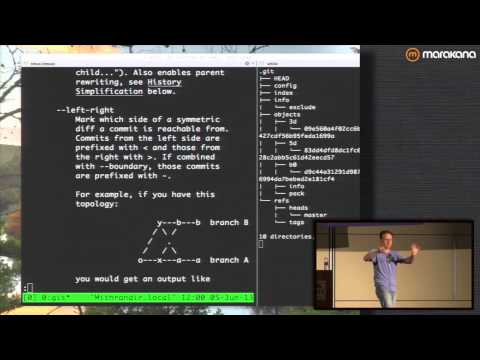
A talk that goes through the same ground, building a repository by hand:
- Git Internals: Git Objects, from the Pro Git book
- git status, git log, git push and git pull reference pages